
Named domains
myapp.test instead of localhost:3471. One name per project, HTTPS by default, and it still works tomorrow.
Drop in a folder. LocalRun gives it a name, a real certificate, and keeps it running, so you type myapp.test instead of hunting for the port you left it on.
no /etc/hosts edits, no port juggling, no sudo on the happy path
How it works
Three things happen the moment you add a folder: a name starts resolving, a certificate gets issued, and your dev server comes under supervision. You do none of them by hand.
Every <name>.test points at your Mac and nowhere else. A bundled DNS responder answers on a high loopback port, so nothing edits /etc/hosts and nothing asks for your password.
Caddy terminates TLS and forwards to whatever port your dev server picked. Certificates come from a local CA trusted in your keychain, so there is no browser warning to click past.
Start, stop, restart, tail logs and edit env from the menu bar. Mark a project always-on and it comes back after a crash, a quit, or a reboot.
One request, end to end
bundled responder on a high loopback port - no sudo
internal CA, trusted in your login keychain
your project, started and supervised by the daemon
Features
LocalRun knows the difference between a server it started, one you started, and one launchd owns, so it only ever offers you the buttons that will actually work.
myapp.test instead of localhost:3471. One name per project, HTTPS by default, and it still works tomorrow.
Toggle TLS per project. Caddy issues a local cert via its internal CA, trusted in your keychain.
Start, stop and restart any project from the menu bar, or pop a terminal at its directory.
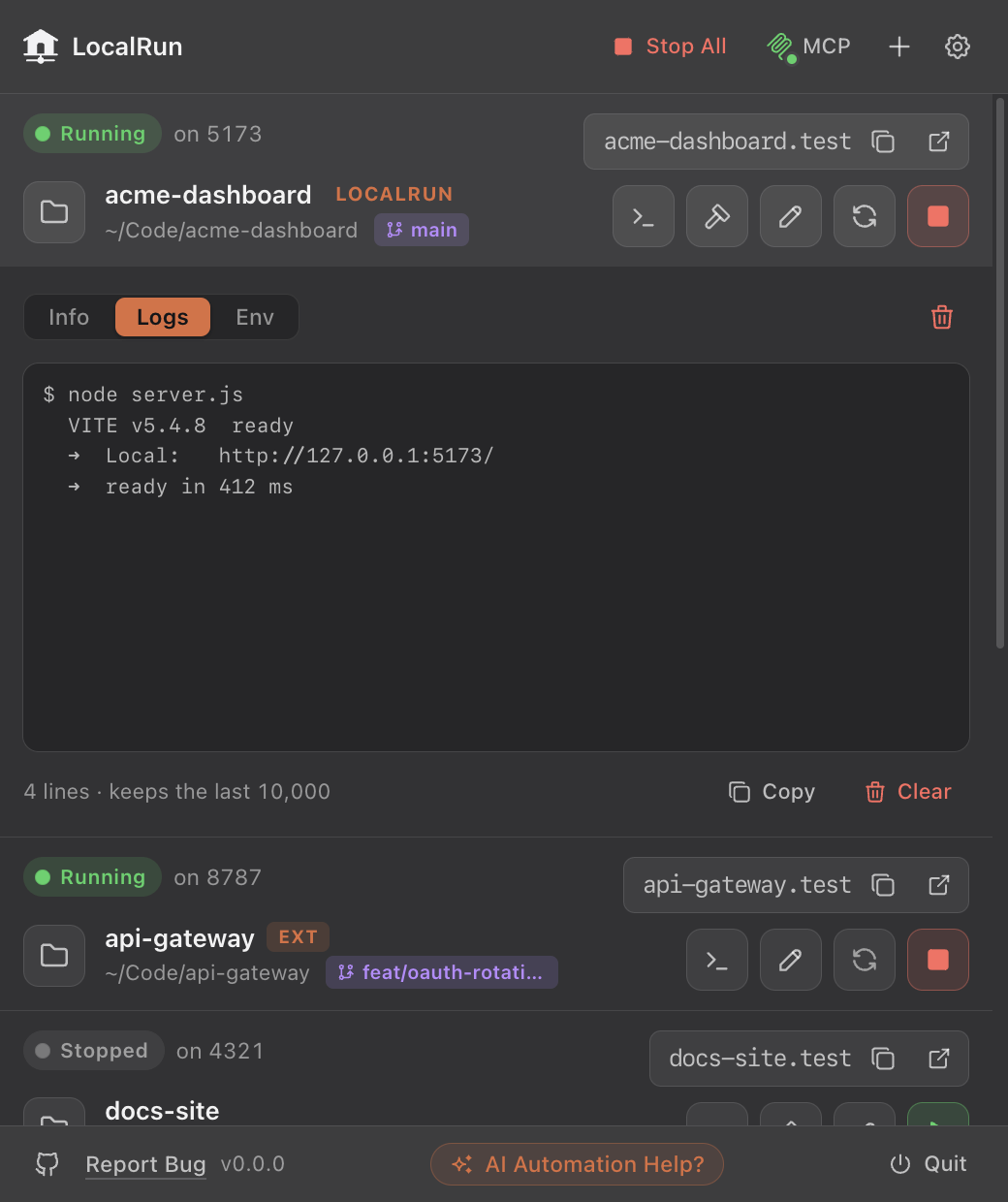
A live log stream, a .env editor and a health-check dot that polls your upstream path.
Never told it a port? LocalRun reads the one your server prints on startup and proxies to that.
Pick who keeps a project alive: you, LocalRun, or macOS itself. The last one survives a reboot without you opening the app.
MCP
LocalRun ships an MCP server, so Claude Code and Claude Desktop can do the things you would otherwise click. Ask for a .test address, start the server, read the logs when it breaks — without leaving the conversation.
From the app
Open LocalRun and click MCP. It writes the client config for you.
Or from your terminal
One command, then restart your client.
claude mcp add localrun --scope user -- npx -y @mindantic/localrun-mcpA few of the 19 tools
The same panel, driven by hand or by Claude.
Get started
Free, open source, MIT-licensed. Download the disk image, or build it from source in about a minute.
macOS 11+, Apple silicon
This build is not notarised, so the first launch is blocked with “the developer cannot be verified”. That is Gatekeeper, not a broken download. Right-click the app and choose Open, then Open again. You only do this once. If macOS instead says the app is damaged, clear the quarantine flag:xattr -dr com.apple.quarantine /Applications/LocalRun.appRead more in the manual